Adult Education Proxy Models
Proxy models for Adult Education
Proxy Hours refer to any out-of-class (asynchronous) hours of instruction adhering to either the Clock Time Model, Teacher Verification Model, or the Learner Mastery Model.
Clock-Time Model
How it works:
Automatically tracks student's time-on-task and can generate reports showing student usage over a period of time.
ADE Approved Curricula
Learner Mastery Model
How it works:
Assigns a fixed number of proxy hours once the learner passes a test.
- Learners work in a curriculum; when they feel ready, take a test.
- If they demonstrate mastery (typically 70% & up), they earn the proxy hours attached to the material.
ADE Approved Curricula
- USA Learns
- NROC LMS installed courses (Math & English)
- Reading Skills for Today's Adults
See the WIOA Title II Local Provider Technical Assistance Guide (PTAG) for more information.
Teacher Verification Model
How it works:
Assigns a predetermined number of proxy hours for each assignment based on teacher determination of the average time a learner engaged in, or completed, the assignment.
Examples of Eligible Resources
Courses created in LMS (such as Canvas, Blackboard, Moodle), YouTube instructional videos, recorded lectures, etc.
Steps for the TVM
STEP 1: Required Course
Blended Learning Certification (TVM Requirement)
This course will ensure your understanding of blended learning as an instructional model to use the TVM effectively. Then, it will walk through the processes for earning/reporting attendance hours through the Teacher Verification Model. It will conclude with a capstone to demonstrate your understanding of the TVM process. Register here.
*Successful completion = receiving a Certificate of Completion for the course which must be kept on file at the program (digitally or physically).
STEP 2: Submit a Lesson to the TVM Repository
- After you have successfully completed* the Blended Learning Certification course, submit a lesson for the TVM using this template.
- Check out the new Airtable Form video walkthrough to see the template for submitting lessons in action and ensure your submission can be effectively used by other AZ Adult Educators.
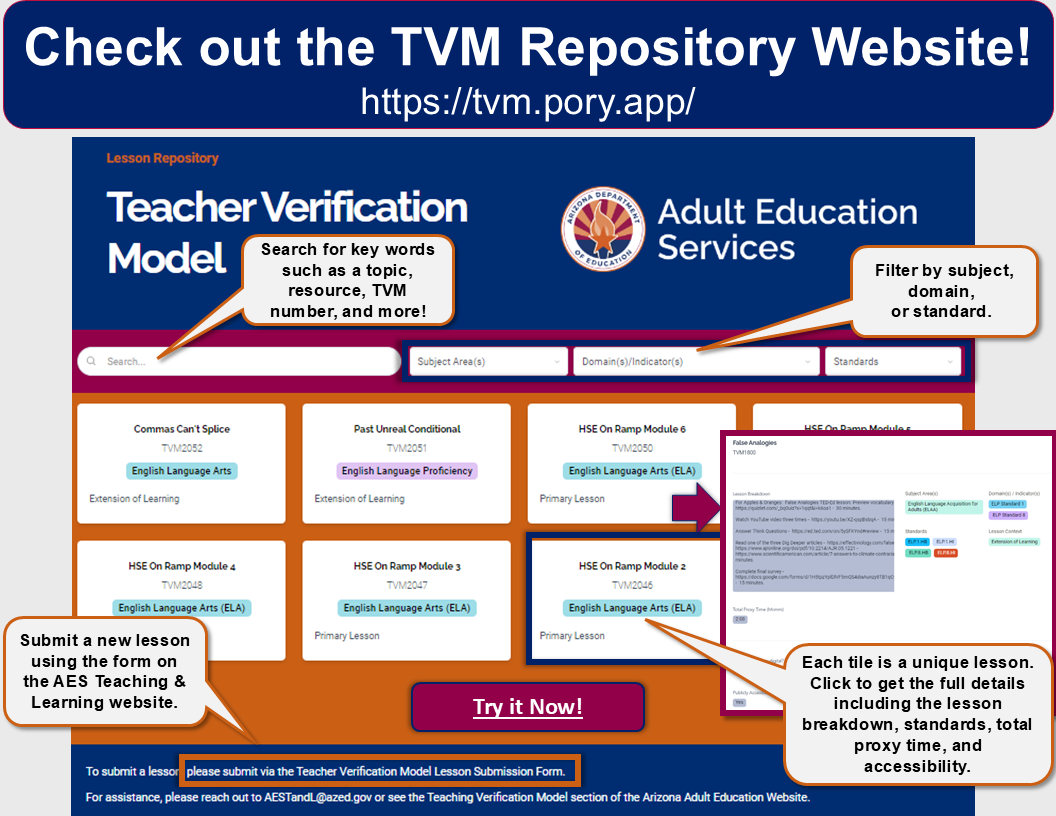
STEP 3: Explore the Statewide Lesson Repository
TVM Website Repository!
Click the image to visit the lesson repository or visit tvm.pory.app.